 Irusu Technologies Pvt Ltd
Access your orders, rewards, and more
© 2026 Irusu Technologies Pvt Ltd
Irusu Technologies Pvt LtdAccess your orders, rewards, and more
© 2026 Irusu Technologies Pvt Ltd
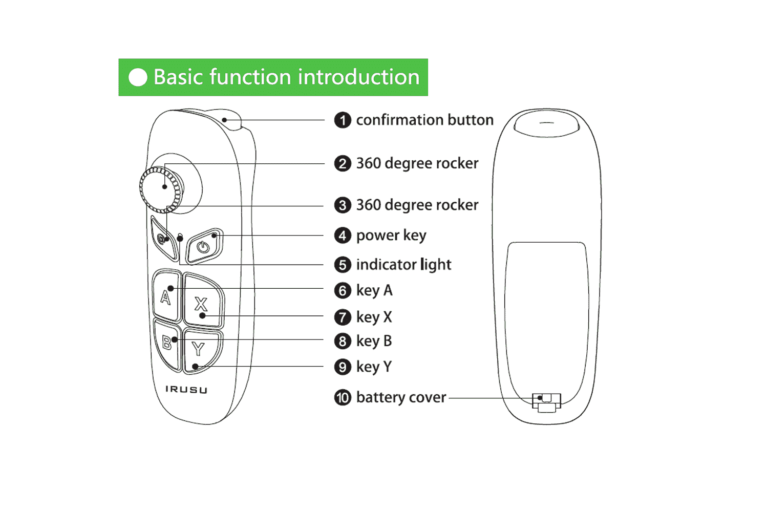
Operating Instructions
Please insert new AAA batteries into the remote.
Power on:press start button until LED light is on(about 3 seconds) , it is acquiesced in VR mode when the joystick is turned on. Mode switching instruction (please press the mode switching button while pressing the @ button with 3-5 seconds) Mouse Mode: @ +A button
Multi-media mode:@+B button
Little chicken gaming mode: @+X button
Apple iCade mode: @+Y button
Remarks:press @ button with 5 seconds to return back to vr mode,mouse mode will only be effective in Android system, iCade mode will only be effective in Apple facility
Pair and connect: after power on, LED indicator will flash, the joystick will enter into the wireless pair mode.
Use the device to search for the address and name of the joystick(SC- B03-XXXx), click then can be connected.pair and connect successfully,LED indicator will turn off , it can connect and match the last wireless device when next time power on.
Power off:press power button until the LED indicator off(about 5 seconds ) the joystick is off.
the joystick will be off automatically if no connecting with wireless device after 5 mins;joystick will power off after 30 mins if there is no operation.
Game operation and access
VR mode: 3D broadcast sowing ,Orange VR and others VR app. Multi-media mode:This machine has its own player or download cool dog music, cool music etc.
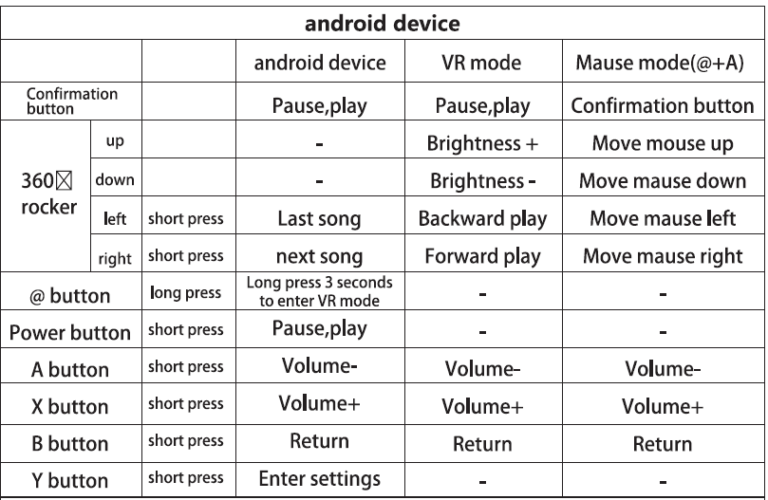
@ Each mode switch and button function are operated as follow sheet:
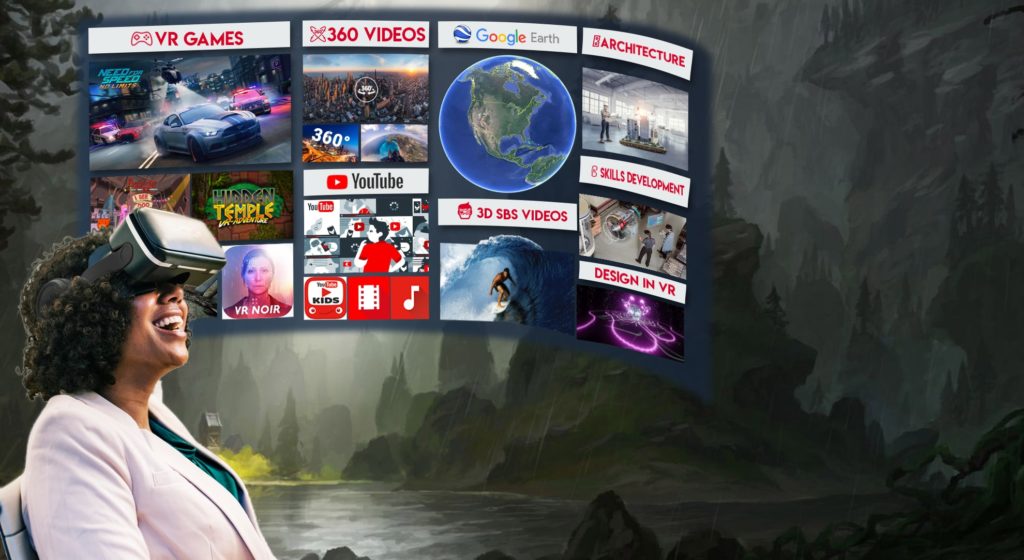
If you haven't bought VR headset yet, You can buy one now


Get 5% off on all Irusu Products only on Irusu official website