 Irusu Technologies Pvt Ltd
Access your orders, rewards, and more
© 2026 Irusu Technologies Pvt Ltd
Irusu Technologies Pvt LtdAccess your orders, rewards, and more
© 2026 Irusu Technologies Pvt Ltd
Are you looking for a VR headset for your Redmi smartphone? With a compatible mobile VR headset, you can explore 360-degree videos, supported VR games and virtual environments using your smartphone.
IRUSU offers different mobile VR headset models, including Monster VR, Play VR Plus, Play VR Ultra and Mini VR. This guide compares their features and explains what to check before using a Redmi or Xiaomi smartphone with a VR Box headset.
Yes, a Redmi smartphone can be used with a mobile VR headset if it meets the headset's physical and technical requirements. The phone must fit properly inside the headset, and its hardware must support the VR application's requirements.
For a better mobile VR experience, check these important specifications:
Here are four IRUSU mobile VR headsets you can compare when choosing a VR Box headset for your Redmi smartphone.
| VR Headset | Lens Information | Key Feature | Product Link |
|---|---|---|---|
| IRUSU Monster VR | 42mm HD lenses (verify current specification) | Adjustable lenses and built-in touch button | View Product |
| IRUSU Play VR Plus | 40mm HD lenses | Integrated headphones | View Product |
| IRUSU Play VR Ultra | 40mm HD lenses | Adjustable lenses and integrated headphones | View Product |
| IRUSU Mini VR | 42mm HD lenses (verify current specification) | Adjustable lenses | View Product |
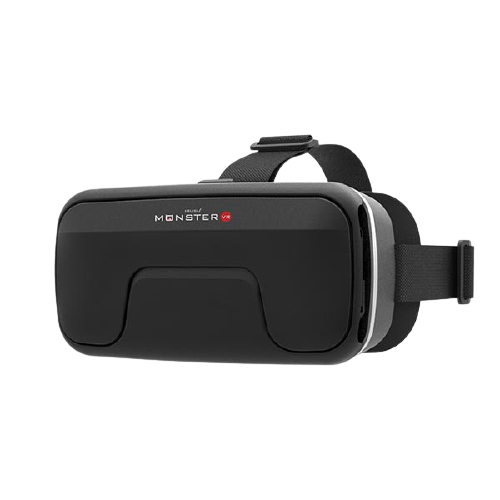
IRUSU Monster VR is designed for smartphone-based virtual reality. Its adjustable lenses and built-in touch button make it an option for users exploring compatible VR applications and 360-degree videos.
Rating shown in the original listing: 4.8/5. Check the current product page for updated reviews.
Buy Monster VR – Get 5% Off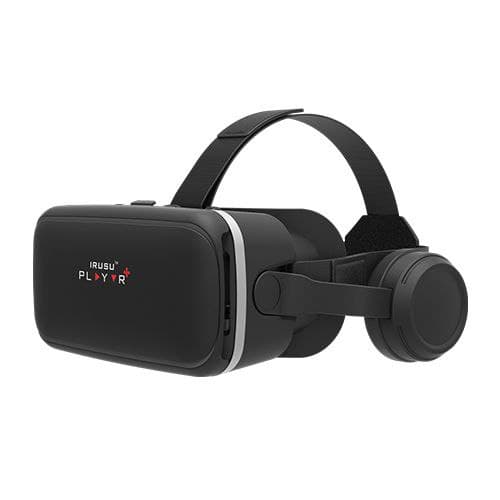
IRUSU Play VR Plus is a mobile VR headset with integrated headphones. It is suitable for users who prefer having audio functionality built into their VR headset instead of using separate headphones.
Rating shown in the original listing: 4.5/5. Check the current product page for updated reviews.
Buy Play VR Plus – Get 5% Off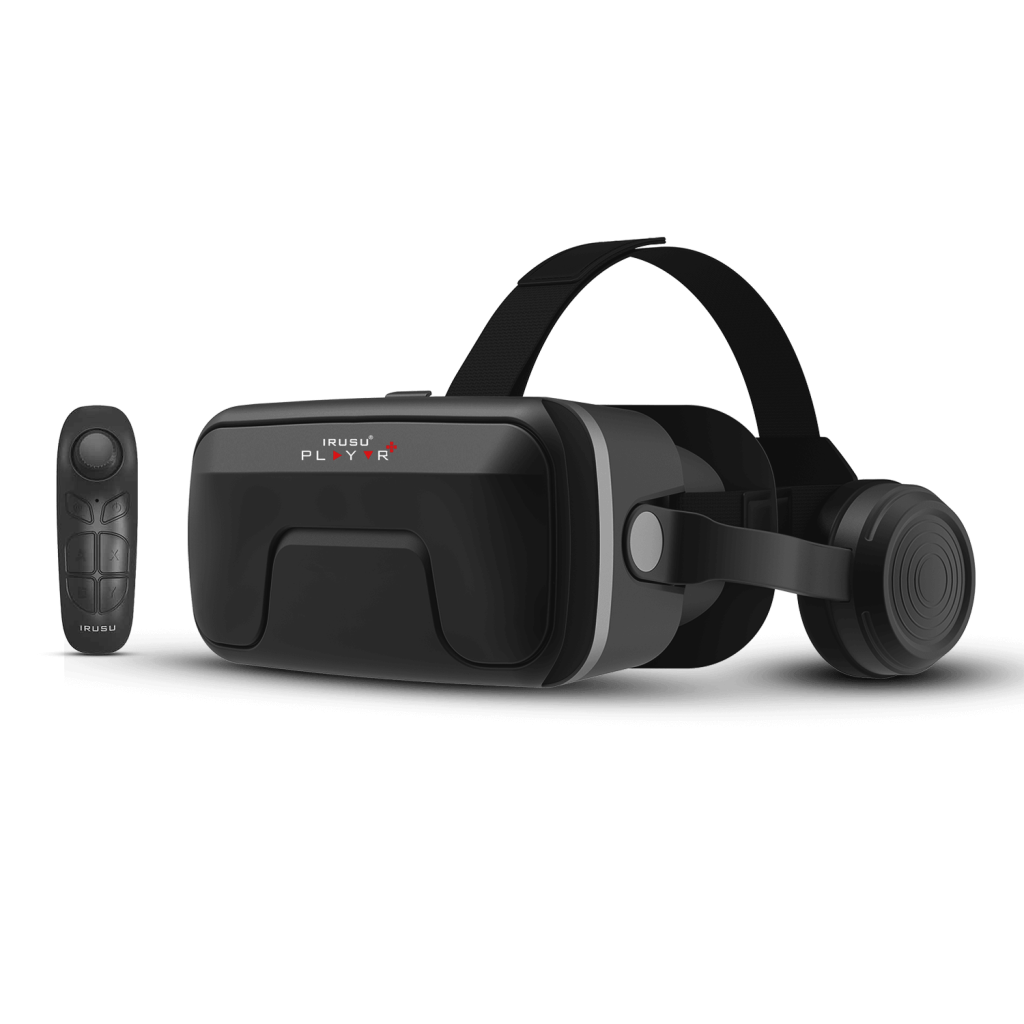
IRUSU Play VR Ultra is another option for users looking for a smartphone VR headset. It combines adjustable lenses, integrated headphones and the control features specified for this product version.
Rating shown in the original listing: 4.2/5. Check the current product page for updated reviews.
Buy Play VR Ultra – Get 5% Off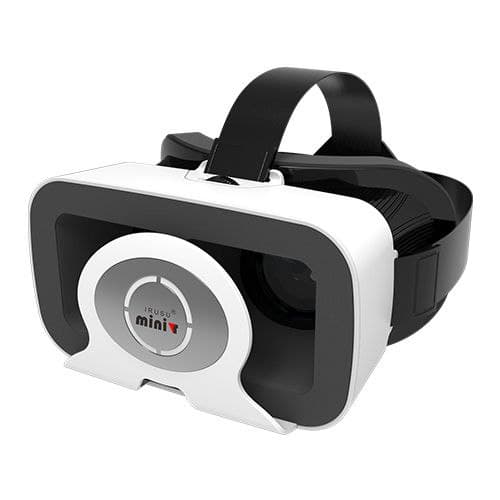
IRUSU Mini VR is a mobile VR headset option for exploring compatible VR applications and 360-degree videos. Check your smartphone's dimensions and sensor support before choosing this model.
Rating shown in the original listing: 4.1/5. Check the current product page for updated reviews.
Buy Mini VR – Get 5% OffThe following Redmi, Xiaomi and POCO models appeared in the original compatibility list. Use them as a starting point for checking your device. Their inclusion here is not a confirmation that every model supports mobile VR or has the sensors required by a particular app.
| # | Smartphone Model | # | Smartphone Model |
|---|---|---|---|
| 1 | Xiaomi 13 Pro | 2 | Redmi Note 12 Pro 5G |
| 3 | Redmi 12C | 4 | Redmi Note 12 |
| 5 | Redmi A2 | 6 | Redmi A2+ |
| 7 | Redmi 13C | 8 | Redmi Note 13 Pro+ 5G |
| 9 | Redmi Note 13 | 10 | Redmi Note 13 Pro |
| 11 | Redmi Note 13 Pro+ 5G | 12 | Xiaomi 14 Ultra |
| 13 | Redmi 13C 5G | 14 | Xiaomi 14 |
| # | Smartphone Model | # | Smartphone Model |
|---|---|---|---|
| 1 | Xiaomi Mi 11 Lite | 2 | Redmi Note 10 |
| 3 | Xiaomi Mi 11X | 4 | Redmi Note 9 |
| 5 | Redmi 9A | 6 | Redmi Note 9 Pro Max |
| 7 | Redmi 9i | 8 | POCO X2 |
| 9 | Redmi K20 Pro | 10 | Xiaomi Mi 10 |
| 11 | Redmi Note 7 Pro | 12 | Mi 10T |
| 13 | Redmi Note 10 Pro | 14 | Redmi 9 Power |
| 15 | Redmi Note 10S | 16 | Mi 10i 8GB RAM |
| 17 | Redmi 9 Prime | 18 | Mi 11X Pro |
| 19 | Redmi Note 8 Pro | 20 | Mi 10T Pro |
| 21 | Redmi Note 8 | 22 | Redmi 8A Dual |
| 23 | POCO F1 | 24 | Redmi Note 7S |
| 25 | Redmi K20 | 26 | Redmi Note 7 |
| 27 | Mi A3 | 28 | Redmi Note 5A Prime |
| 29 | Redmi Note 5A | 30 | Mi 5c |
| 31 | Redmi Y1 | 32 | Redmi Y1 Lite |
| 33 | Redmi 8 | 34 | POCO X3 Pro |
| 35 | POCO M3 | 36 | POCO X3 |
| 37 | POCO M3 Pro 5G | 38 | POCO M2 Pro |
| 39 | POCO C3 | 40 | Mi Note 2 |
| 41 | Redmi Note (model unspecified) | 42 | Redmi 5 Plus |
| 43 | Redmi 6 Plus (as listed) | 44 | Redmi Note 11 Pro |
| 45 | Redmi Note 11 4G | 46 | Xiaomi 12X |
| 47 | Redmi Note 11 | 48 | Mi Note (model unspecified) |
| 49 | Redmi Note 4G (model unspecified) | 50 | Mi 4s |
| 51 | Mi 2A | 52 | Mi 2s |
| 53 | Mi Note Pro | 54 | Mi 6c |
| 55 | Redmi Note Prime | 56 | Redmi (model unspecified) |
| 57 | Mi A1 | 58 | Mi 8 |
| 59 | Redmi Note 5 | 60 | Redmi Note 5 Pro |
| 61 | Redmi S2 | 62 | Black Shark |
| 63 | Mi Mix 2S | 64 | Mi 8 SE |
| 65 | Mi 8 Explorer | 66 | Redmi Note 5 AI Dual Camera |
| 67 | Redmi Note 6 Pro | 68 | Redmi Y2 |
| 69 | POCO F1 | 70 | Mi 8 Pro |
| 71 | Mi A2 Lite | 72 | Mi A2 |
| 73 | Redmi 5 AI Dual Camera | 74 | Black Shark Helo |
Compare your smartphone's height, width and thickness with the supported dimensions of the IRUSU VR headset you plan to purchase. The phone must fit securely in the headset.
Many mobile VR applications use the gyroscope to track head movement. If your phone does not have a gyroscope, some interactive VR experiences may not work as expected.
Check the app's requirements on Google Play or the relevant app store. Different VR applications may have different hardware and operating system requirements.
Before ordering, use our compatibility tool to check your smartphone:
Check Your Mobile VR Compatibility
Order your preferred IRUSU VR headset from the official website and use the coupon code below at checkout.
Use Coupon Code
IRUSU5Get a flat 5% discount on eligible purchases.
Explore the complete range of IRUSU mobile VR headsets: Visit the Official IRUSU Website .
Yes, if your Redmi phone fits the headset and meets the hardware requirements of the VR application. Check the phone's dimensions, gyroscope and app compatibility before purchasing.
You can compare IRUSU Monster VR, Play VR Plus, Play VR Ultra and Mini VR. The correct choice depends on your phone's dimensions, the headset's features and the VR applications you want to use.
Physical fit alone does not confirm VR compatibility. Check the exact Redmi Note 12 variant, its sensors and the requirements of the VR application you intend to use.
Many mobile VR applications require a gyroscope for head tracking. Some simple viewing applications may have different requirements. Always check the specific app's requirements.
Yes, if your phone and the video application support the required 360-degree viewing mode. The headset provides the viewing optics, while your smartphone runs the application.
No. Compatibility depends on smartphone dimensions, sensors, application support and headset specifications. Check the exact model before ordering.
Use coupon code IRUSU5 at checkout on the official IRUSU website for the advertised 5% discount on eligible purchases. Check the current offer terms before placing your order.
A compatible mobile VR headset can help you explore virtual environments, 360-degree videos and supported VR games using your Redmi smartphone. Compare the features of IRUSU Monster VR, Play VR Plus, Play VR Ultra and Mini VR before choosing a model.
Check your phone's compatibility and explore the IRUSU range to find a headset that suits your requirements.